Run Less3 standalone on a laptop or a single server, then scale the same S3-compatible endpoint out across a cluster of nodes. A shared PostgreSQL control plane and distributed locks with fencing tokens keep exactly one authority per truth, so adding nodes never costs you correctness.
One binary, one deployment shape. Start with a single node; the same image scales out unchanged.
MIT LicensedSingle-node or clusteredPostgreSQL control planePrometheus + GrafanaAWS SDK and CLI tested
Deployment topologies
Two ways to run. One thing to learn.
The same Less3 build serves a single developer laptop and a multi-node production cluster. You do not switch products to grow; you point the same binary at a shared database and put a load balancer in front.
Single node
Everything on one machine
One process, an embedded SQLite database, and local disk. It comes up in seconds and needs nothing else. This is the right shape for local development, CI jobs, edge boxes, demos, and small internal services where one host is plenty.
SQLite metadata, objects on local disk
No external dependencies to stand up
Ideal for laptops, pipelines, and single servers
Multi-node scale-out
Many nodes, one logical store
Put N identical Less3 nodes behind nginx and point them at a shared PostgreSQL control plane and shared blob storage. Requests spread across nodes; the cluster presents one consistent S3 endpoint. Add throughput and headroom by adding nodes.
nginx load balances the S3 and admin surfaces
PostgreSQL holds metadata and lock state for every node
Shared storage holds immutable blobs and upload parts
Scale-out adds nodes for capacity and concurrency. It is not a promise of unlimited scale or automatic failover, and the sections below say plainly what the cluster does and does not guarantee.
Architecture
A cluster with clear lines of authority.
Every node runs the same code and stays stateless between requests. Durable truth lives in exactly two shared places: PostgreSQL for metadata and lock state, and blob storage for object bytes. A single node is just this diagram with N set to one.
Solid lines carry S3 traffic. The data plane writes bytes to blob storage and metadata to PostgreSQL. Prometheus scrapes each node; Grafana renders the shipped dashboards.
Stateless nodes
A node keeps nothing durable of its own. Any node can serve any request, which is what lets nginx spread load and lets you add or drain nodes without a migration.
Shared control plane
PostgreSQL is the single source of metadata, version history, and lock state. Every node reads and writes the same rows, so all nodes agree on what exists and who holds a lock.
Immutable blobs
Object bytes and multipart parts land in shared storage and are never mutated in place. A new write is a new blob, so readers never observe a half-written object.
Data integrity
Scale-out that refuses to trade away correctness.
Distributed systems usually break in the gap between two nodes that both think they are in charge. Less3 closes that gap by keeping one authority per truth and forcing every mutation through a lock it can prove it still holds.
One authority per truth
Metadata and lock state live only in PostgreSQL. Object bytes live only in shared storage. No node caches a private copy it could disagree about, so there is never a second opinion to reconcile.
Every mutation takes a lock
Before a node writes an object, version, or tag, it acquires a distributed lock for that key in the control plane. Concurrent writers to the same key serialize instead of racing.
Fencing tokens catch stragglers
Each lock hands out a monotonically increasing fencing token. A write carries its token, and a write arriving with a stale token is rejected, so a delayed or paused node can never overwrite newer data after its turn has passed.
A failed node just lapses
Locks are held on a lease. If a node stalls or dies, it stops renewing, the lease expires, and another node acquires the lock with a higher token and proceeds. There is no automatic failover of the node itself and no data-loss window for the object under lock; the work simply continues on a healthy node.
Observability
You can see the cluster you are running.
Every node exposes a Prometheus metrics endpoint, and the Compose deployment ships a Prometheus scraper and Grafana with dashboards already wired up. A fresh cluster tells you how it is behaving before you have to ask.
Metrics per node
Request rates, latencies, error counts, and storage totals are exported in the Prometheus format from each Less3 node, ready to scrape.
Dashboards on day one
Grafana starts with dashboards for the fleet, so throughput, saturation, and per-node health are visible without building panels first.
Your stack, if you have one
Because metrics are plain Prometheus, point an existing Prometheus, alertmanager, or Grafana at the endpoints instead of the bundled ones whenever you prefer.
Why Less3
The S3 interface, on infrastructure you actually control.
Development machines, private networks, remote sites, and regulated environments all need practical object storage without a hard dependency on a public-cloud endpoint. Less3 gives them a familiar S3-compatible interface backed by hardware you operate.
Develop without the cloud
Build and test against a real S3-compatible endpoint with no cloud account, shared test bucket, or production data in the loop.
Keep data where it belongs
Place storage next to the application when locality, isolation, connectivity, or operational control is what matters most.
Reuse familiar tools
Connect with the AWS SDKs, AWS CLI, MinIO Client, S3 browsers, or plain REST instead of learning a new storage integration.
Grow without re-platforming
Start on one node and move to a cluster with the same binary, the same API, and the same clients when demand arrives.
Own the storage. Keep the workflow. Scale when you need to.
Use cases
One S3-compatible endpoint. Several real jobs.
Local development and integration testing
Run a predictable local endpoint on SQLite, create disposable buckets and objects, and exercise supported S3 behavior without touching a shared cloud environment.
Your integration tests should not need a production bucket.
CI/CD pipelines
Start a clean single-node instance inside a build pipeline, run storage integration tests in isolation, and dispose of the environment when the job finishes.
A clean S3-compatible target for every build.
Private object storage at scale
Run a multi-node cluster behind nginx on hardware your organization already operates, backed by PostgreSQL and shared storage, and serve internal applications a familiar object-storage API.
Add nodes for throughput without changing the endpoint.
Remote and controlled environments
Deploy storage close to applications in isolated or connectivity-constrained locations where data placement has to stay explicit and on-premises.
Bring a familiar storage API to the data.
Compatibility
Compatibility you can verify.
For an S3-compatible platform, behavior matters more than a logo. Less3 publishes the operations it supports, the clients it tests, and the places where its behavior differs from AWS S3.
AWS SDKsAWS CLIMinIO Client (mc)CloudBerry Explorer for S3S3 BrowserDirect REST integrations using the documented supported surface
Less3 implements a documented subset of the S3 API. It does not claim complete parity with AWS S3. Supported operations, tested clients, and known behavioral differences are published so teams can evaluate compatibility before adopting it.
An API you can automate. A dashboard humans can use.
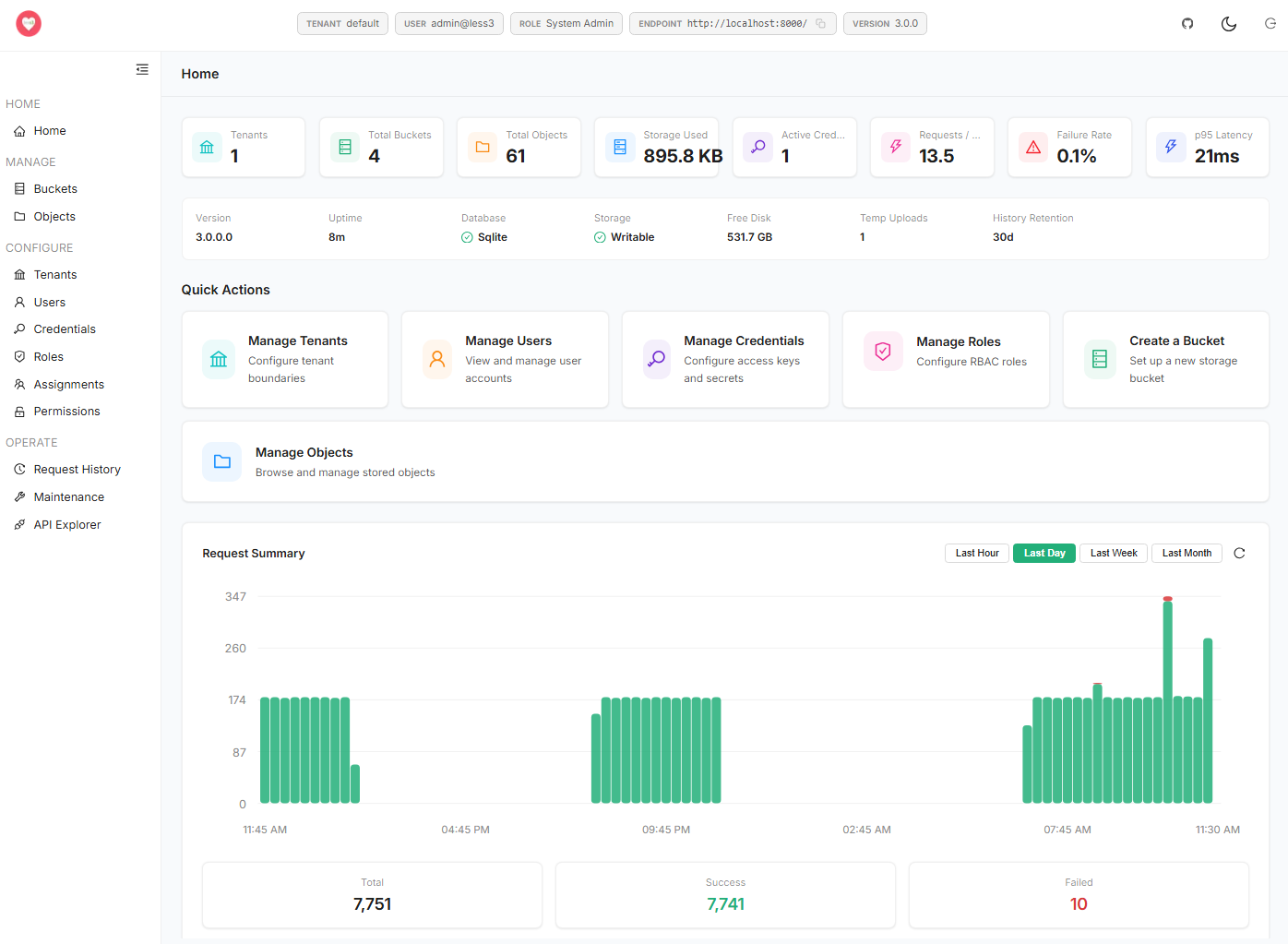
Understand activity, manage storage, administer access, and exercise supported APIs from a browser, against a single node or the whole cluster.
See what is happening
Review bucket, object, and storage totals alongside request activity over selectable time ranges.
Manage buckets and objects
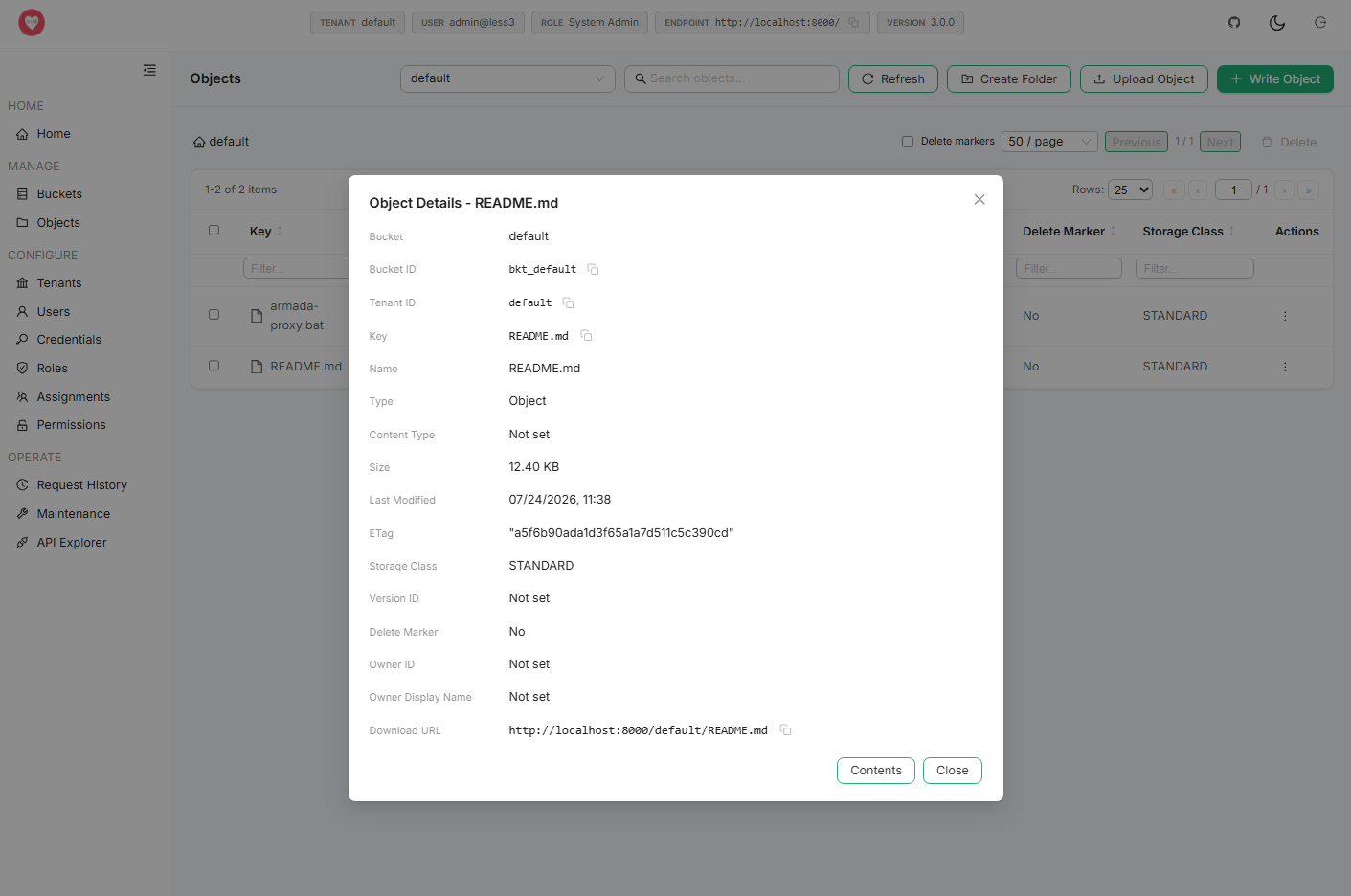
Browse objects and virtual folders, upload and download files, inspect or edit supported text content, manage tags and ACLs, and perform bulk actions.
Manage identities and credentials
Create and update users, tenants, access keys, secret keys, roles, permissions, and assignments through the administrative surface.
Explore APIs interactively
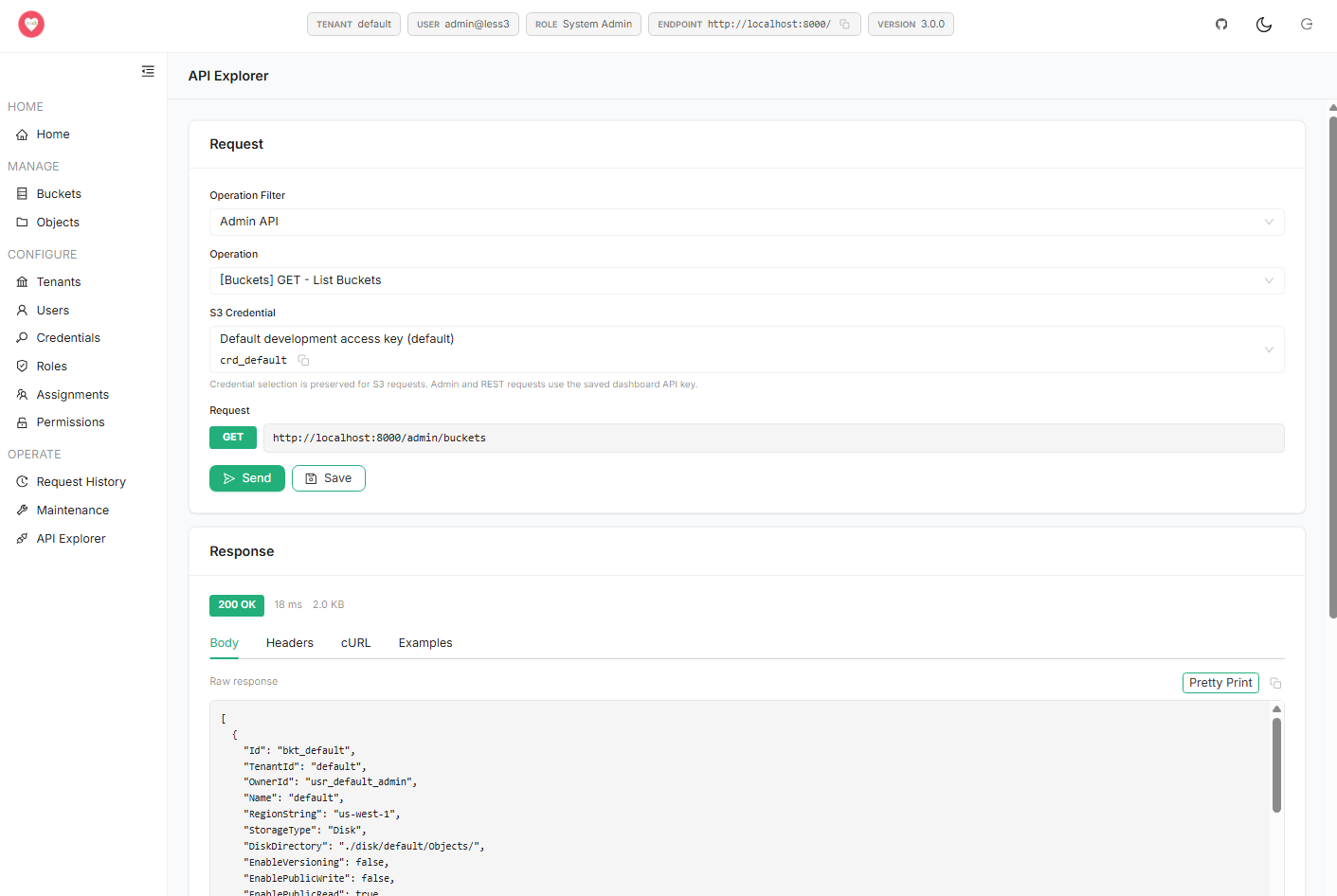
Select supported S3 or administrative operations, choose credentials, submit requests, inspect headers and bodies, and format structured responses.
Deploy
Start on your machine. End on your cluster.
Run Less3 as a .NET service for the single-node case, or bring up the server, dashboard, database, and observability stack together with Docker Compose for a clustered deployment. The client-facing S3 endpoint is identical either way.
Single-node, from source
The fastest path for development and CI. One process, embedded database, local disk.
Build and run with the .NET SDK
SQLite metadata as the simple default
Objects on local disk or a mounted volume
No load balancer or external database required
Multi-node, with Docker
Compose brings up the cluster shape from the architecture diagram.
nginx in front of N Less3 nodes
PostgreSQL as the shared control plane
Shared storage for blobs and upload parts
Prometheus and Grafana for observability
URL conventions
Use the URL convention that matches your environment and client configuration.
Path-style URLs for local and internal deployments
Virtual-hosted-style URLs for S3-like hostname patterns
The same conventions apply behind the load balancer
Open source
Own the implementation, not just the endpoint.
Less3 is MIT licensed. Inspect it, modify it, embed it, redistribute it, or contribute improvements back to the project.
Permissive license
Use, modify, distribute, or embed Less3 under the MIT license while retaining the required notice.
Open compatibility work
Supported APIs, test commands, changelog entries, and compatibility issues are visible in the repository.
Contributions welcomed
Focused pull requests, reproducible bug reports, and documented enhancement proposals are encouraged.
Pick single node to try Less3 with nothing but the .NET SDK, or multi-node to bring up the full cluster with Docker Compose. Both create the initial configuration and sample data you need to verify the endpoint; replace development defaults before broader use.
git clone https://github.com/jchristn/less3
cd less3
dotnet build src/Less3.sln
cd src/Less3
dotnet run

# SQLite metadata, objects on local disk
aws --endpoint-url http://localhost:8000 s3 ls
git clone https://github.com/jchristn/less3
cd less3/Docker
docker compose up -d

# nginx + N Less3 nodes + PostgreSQL + Grafana
aws --endpoint-url http://localhost:8000 s3 ls

# Dashboard   http://localhost:3000
# Grafana     http://localhost:3001
Run S3-compatible storage on your terms.
Start on one node, read the supported API surface, and scale out to a cluster when you are ready. All under the MIT license.